
When a document won’t open or reports corruption, use Document Fix for a local browser-side repair. It pairs with Document Corruption; originals are never uploaded.
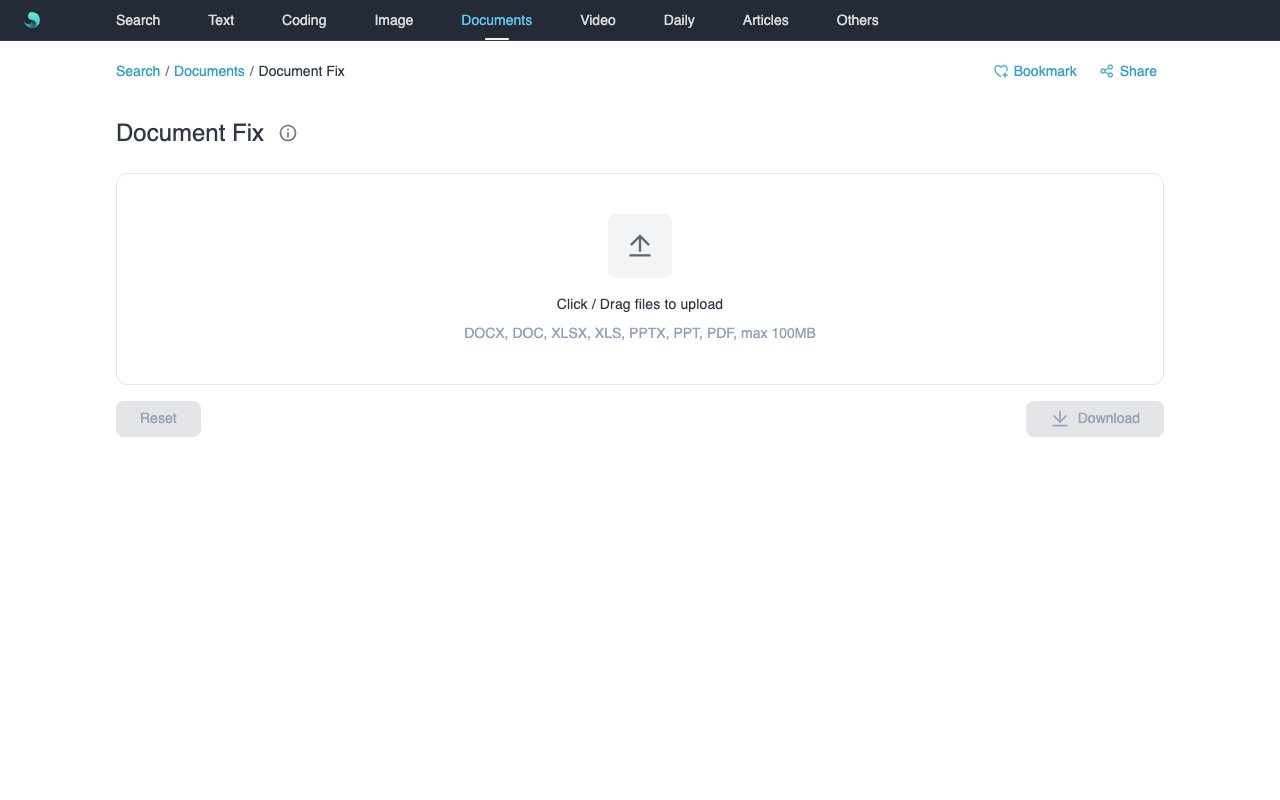
Features
- Click or drag to upload multiple files:
docx / doc / xlsx / xls / pptx / ppt / pdf, up to 100MB each (max 10). - Queued repair with controlled concurrency; rows show Repairing… / Repaired / Failed.
- Successful outputs are named
*_repaired.<ext>; download one from its row or ZIP all successes. - Reset clears the queue and returns to the empty upload state.
When to use
- Mild corruption from interrupted downloads or transfers.
- Verifying files produced by Document Corruption.
- Sensitive files you prefer not to upload to third-party repair sites.
How to use
- Open Document Fix.
- Click the dashed zone or drop one or more damaged documents.
- Wait for Repaired / Failed status in the list.
- Use the row Download or the bottom-right Download for all successes.
- Click Reset to clear everything.
Notes
- Max 100MB per file; unsupported types and macro files are rejected.
- Processing stays in the browser; encrypted files must be unlocked first.
- Severely corrupted or legacy binary files may not be repairable here.
- The old ZIP Repair entry (
/#ziprepair) now redirects here.