
Add native open passwords for Word, Excel, PowerPoint, and PDF (open with Office / WPS / a PDF reader) — not a custom zip wrapper. Upload and encrypt use short-lived server jobs; the password stays in page memory only (not localStorage).
Features
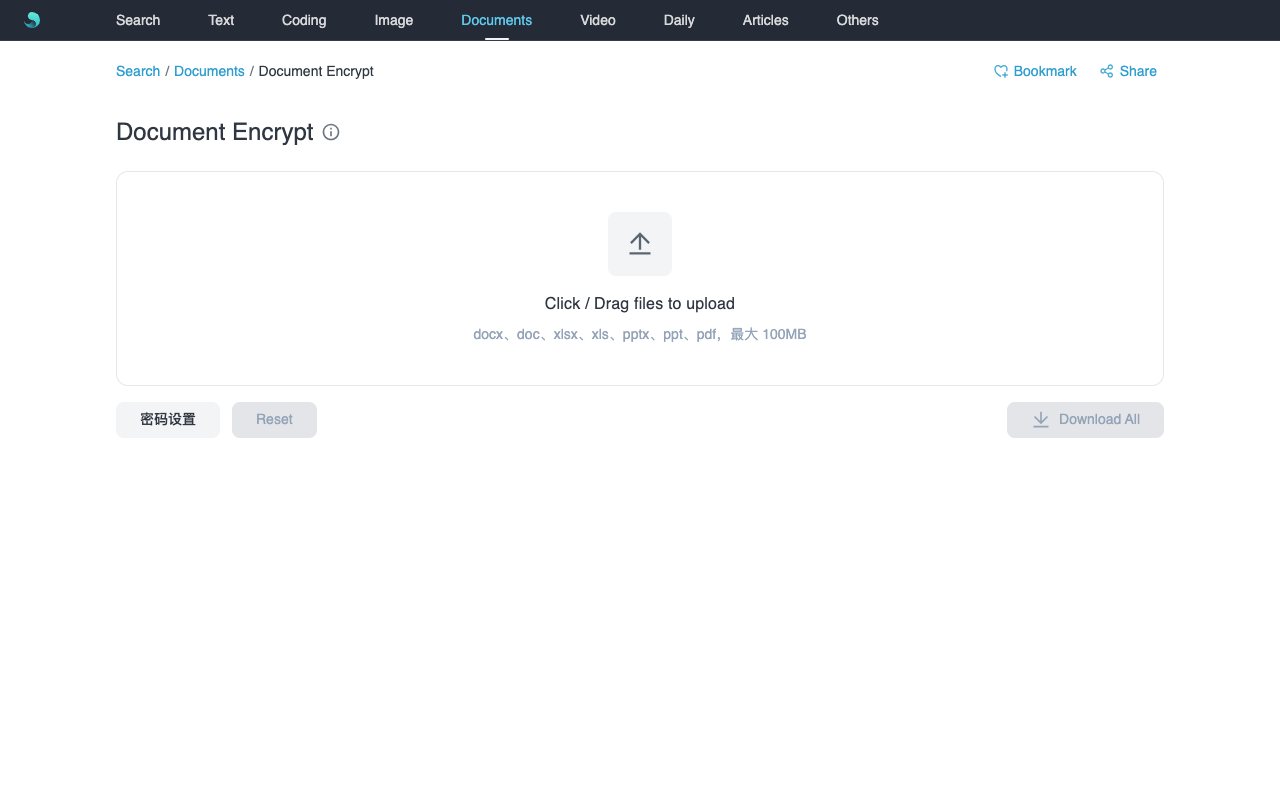
- Accepts
.docx/.doc/.xlsx/.xls/.pptx/.ppt/.pdf(max 100MB each; no macro formats docm/xlsm/pptm). - Password settings: enter and confirm; if you upload without a password first, files enter the list and the password dialog opens — confirm to encrypt immediately.
- List status: waiting for password / queued / encrypting / done / failed (hover or inline reason on failure).
- PDF: preview with the same password + download; encrypted Office: download only.
- Download all packs only successful items as ZIP; Reset clears the list and saved password.
Use Cases
- Protect contracts or quotes before sharing.
- Batch-apply one open password to several PDFs / Office files.
- Already-encrypted files fail clearly so you can remove the old password first.
How to Use
- Open Document Encrypt, click Password settings, enter and confirm a password.
- Click the dashed box or drag one or more documents (≤100MB each).
- If you uploaded before setting a password: status shows waiting for password; confirm the dialog to start encryption.
- Wait until status is Done; preview PDF if needed, download a row, or use Download all for a ZIP of successes.
- Reset clears the list and password.
Notes
- Output uses standard open passwords, not a custom AES zip.
- Files that already have an open password fail; unlock them first.
- Temp files clear in about 10 minutes; health check:
/api/docencrypt-health.php. - Changing the password only affects new uploads; finished items keep the password used when they completed.
Related Keywords
Document Encrypt, PDF password, Office password, Word encrypt, Excel encrypt, PPT encrypt, docencrypt, Sanye Hub, Online Tools